
|
|
|
#1
 06-21-2012, 03:25 PM
|
|||
|
|||
|
CRT Colors & Wear?
Hey guys,
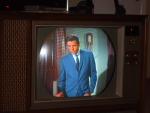
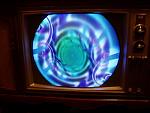
I thought I'd start a new thread with a relevant title, as the old one really changed topics. I've finally gotten the Trinitron running and displaying a picture. However, the picture is kind of red. Backing down the color control, doesn't fully get get rid of the colors, as most colors still peek through (mostly red, but blue, green, etc. too). The picture's fine otherwise, clean and clear. It just comes off as very warm. What is causing this? Worn guns? 
|
|
#2
06-21-2012, 03:29 PM
|
||||
|
||||
|
Sounds like the drive or screen controls are turned up too high. Back off the red a little and see how it looks. If it looks better, then try the green and blue. Sounds like a grayscale adjustment is in order.
__________________
"It's a mad mad mad mad world" !! http://www.youtube.com/user/mwstaton64?feature=mhee
|
|
#4
06-21-2012, 03:38 PM
|
||||
|
||||
|
The controls are probably on the crt circuit board. if its new enough, it will be in the service menu. The controls will be labeled. Sometimes the controls are color coded, red green blue knobs. I'm not familiar with that exact set but they are all similar. If it's in the service menu, you can read about it online. You will need a sony remote to get into it. Be careful, you can mess things up if you don't know what you are doing.
__________________
"It's a mad mad mad mad world" !! http://www.youtube.com/user/mwstaton64?feature=mhee
|
|
#5
06-21-2012, 03:41 PM
|
|||
|
|||
|
It has a primitive OSD, but just for volume and picture.
If I have to mess with it while it's on, I'd really rather leave it. I have no idea what I'm doing in there. Last edited by Outland; 11-04-2012 at 11:42 PM.
|
| Audiokarma |
|
#6
06-21-2012, 03:46 PM
|
||||
|
||||
|
Yes it will have to be on. Maybe best to leave it until someone can help you out.
__________________
"It's a mad mad mad mad world" !! http://www.youtube.com/user/mwstaton64?feature=mhee
|
|
#8
06-21-2012, 07:55 PM
|
||||
|
||||
|
Quote:
|
|
#10
06-21-2012, 11:36 PM
|
||||
|
||||
|
Oh come on, he's just Zoidberg in disguise!
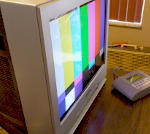
Seriously, what does a greyscale pattern look like? Where do you live? In Florida? I'll adjust it for you. If there's one thing I have a good eye for, it's 65k. 
|
| Audiokarma |
|
#11
06-21-2012, 11:37 PM
|
||||
|
||||
|
turn the color down slightly and turn the tint toward green. That might help some
__________________
"It's a mad mad mad mad world" !! http://www.youtube.com/user/mwstaton64?feature=mhee
|
|
#13
06-22-2012, 09:18 AM
|
||||
|
||||
|
Quote:
Once you have good black and white, you can turn the color back up and see if there is any problem there.
|
|
#14
06-22-2012, 11:04 AM
|
||||
|
||||
|
The CRT might be weak or weaker. There is a fine line where the emission gors south to the point where it starts to effect picture and color quality. If you have any smearing of whites like letters and the such on the screen and turning the contrast (picture on sonys) down takes it away, you could have a weak CRT. Usually Sonys come from the factory with near perfect greyscales, so if the controls were untouched, which are located on the CRT neckboard, and not user servacable unless the back is removed on this model, then I would say the CRT may be getting tired. Now yes like others said you can adjust it out, but thats temporary. There are some instances I have run into in the past where a poteometer has a flat spot on it where the slightest turn will change drastically. But a usual telltale sign of a weak trinitron is color smearing (or bleeding) (usually red) around the whites.
__________________
Honey, turn on the tv.. I'm cold!
|
|
#15
06-22-2012, 11:40 AM
|
||||
|
||||
|
I'm not really seeing smearing here.. I'm just seeing the reds being pushed far too much..
He hasn't even shown us a greyscale pattern yet.. A weak CRT would do this kind of smearing: http://img.photobucket.com/albums/v3...ghcontrast.jpg I'm just not seeing that here in his pics. Heck, it may not even be the CRT itself, it could be something in how it decodes NTSC (or PAL, depending on region).. I've seen that happen too.
|
| Audiokarma |
 |
|
|





 Linear Mode

