
|
|
|
|
|
#1
 07-27-2010, 02:31 PM
|
||||
|
||||
|
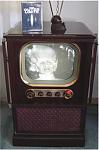
It helps if you have a camera that lets you control the aperture and shutter. I use a Pentax K200D for all my photos, but it also helps to shoot in normal room light with the brightness turned down a little.

|
|
#2
07-27-2010, 03:26 PM
|
||||
|
||||
|
Quote:
John
|
|
#3
07-28-2010, 07:31 AM
|
||||
|
||||
|
Quote:
It can help if you put the camera into auto mode, look through the viewfinder, and see what it's using for settings on and off screen. For example if it gives you 1/8 sec@f/8 on the screen and 1/2 sec@f/2.4 off screen, try manually setting it for 1/4 sec@f/4 and see what happens. Play with it, eventually you'll get it right. here's a hint: backlighting the shot helps a lot.
|
|
#4
07-28-2010, 02:01 PM
|
||||
|
||||
|
Wonderful job John! The image quality on that set is fantastic. I would be happy if some of my sets look half that good.
BTW, I got won the Veeco calibrated leak for only $52. I hope there is still some helium in it :-) Folsom arrives on Saturday and then we start playing around to see if we can get the 925-40 to opperate.
__________________
Vacuum tubes are used in Wisconsin to help heat your house. New Web Site under developement ME http://AntiqueTvGuy.com
|
|
#5
07-29-2010, 12:59 AM
|
||||
|
||||
|
925-40
Bob,
What is a " 925-40 "? Leaks last what 10-20 years, plenty of helium in the quartz XTAL. We send ours off once a year and they always come back within calibration. Seems counterintuitive but, leave the valve open before and during the whole test or the value stamped on the leak won't be accurate. 
|
| Audiokarma |
|
#6
07-29-2010, 11:44 AM
|
||||
|
||||
|
Terrific image on that TV. You will enjoy watching it.
Taking screen photos drives me insane. I have taken thousand of shots -- literally -- in attempts to get a true image of what the TV really looks like playing in normal room light. If the rest of the scene looks normal, the screen is always overexposed. The only solution for me is to take two photos as you say, with the camera on a tripod. First photo with room lights up and TV turned off. Second photo with room lights lower (not completely dark) and TV turned on. For the "turned on" photos, I take a few with the TV at different brightness/contrast settings, then pick the best one later. Once you have two that look good separately, copying & pasting the screen from one to the other does the trick. Backlighting, or indirect lighting in general, work better than a single strong source. Glare is an issue if the TV has a flat safety glass. In some cases, I've had to use two black dropcloths to eliminate glare. One spread on the floor in front of the TV and the other pinned to the wall behind the camera. Even then, you may need to pin a black towel around the tripod legs to keep them from showing up as a reflection. Phil
|
|
#7
09-29-2010, 10:05 AM
|
||||
|
||||
|
I missed this one! Guess I shouldn't always rely on Eric to find sets for us.
 http://columbus.iclassifieds.com/dro...es&i=117233274 It looks like the cabinet is in good condition. It's missing both rosettes like mine. It was listed a couple of months ago. Columbus isn't that far. John
|
 |
| Thread Tools | |
| Display Modes | |
|
|




 Hybrid Mode
