
|
|
|
#6
 02-16-2021, 09:19 AM
|
||||
|
||||
|
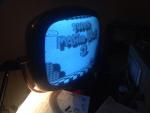
Are you trying to watch TV up close in a fully dark room? The average CRT television was designed to be watched in a room with normal ambient lighting, and from a distance.
If you want to "make it less bright", you will need to turn down the brightness, and then adjust contrast to make the picture look good. These two controls have some interaction, so it may take some fiddling to get it right. If the color is too strong, then turn the color down too. TVs were always set by default to maximum brightness and contrast, to stand out in stores. I always dial mine down to reduce the wear and tear on the CRT, and to make the picture look better. Am I getting the impression you didn't grow up with CRT televisions? These controls are all second nature to those who did, but I could see them being confusing to those who didn't. I suggest to just keep playing with them until the picture looks good. One tip is to turn the color down all the way to get a monochrome picture, and then set the contrast and brightness. Once you have done this, slowly increase the color until it looks realistic. You will find it will be set WAY lower than the over saturated look which most TVs have. Also, don't expect digital quality black levels with an old TV. Black is always going to be a little murky, it's better to not obsess over it. Last edited by maxhifi; 02-16-2021 at 09:25 AM. 
|
| Thread Tools | |
| Display Modes | |
|
|




 Threaded Mode