
|
|
|
#1
 05-25-2025, 06:08 PM
|
||||
|
||||
|
CTX CVP-5468NI picture increased width then shrank
I've been making use of this VGA monitor with various computers since I got it in March, but its most recent application was as a monitor for my Linux box. That's when I started using the 1024x768 @ 60Hz (XGA) mode often.
Well, a few days ago I was in a white-on-black fullscreen terminal and suddenly the picture width increased drastically. I cranked up the vertical size. The horizontal geometry became distorted and the right edge was folding over. Then, I saw the picture shrink towards the center of the screen and I quickly hit the power button. I turned the monitor back on a few hours later to be greeted with a dim, shrunken XGA image. But, the picture is perfectly fine and bright in the 640x480 (VGA) and 800x600 (SVGA) modes. Here are some pictures of the monitor with the back shell removed. It's fairly clean inside, no visible signs of leaking caps or other damage. 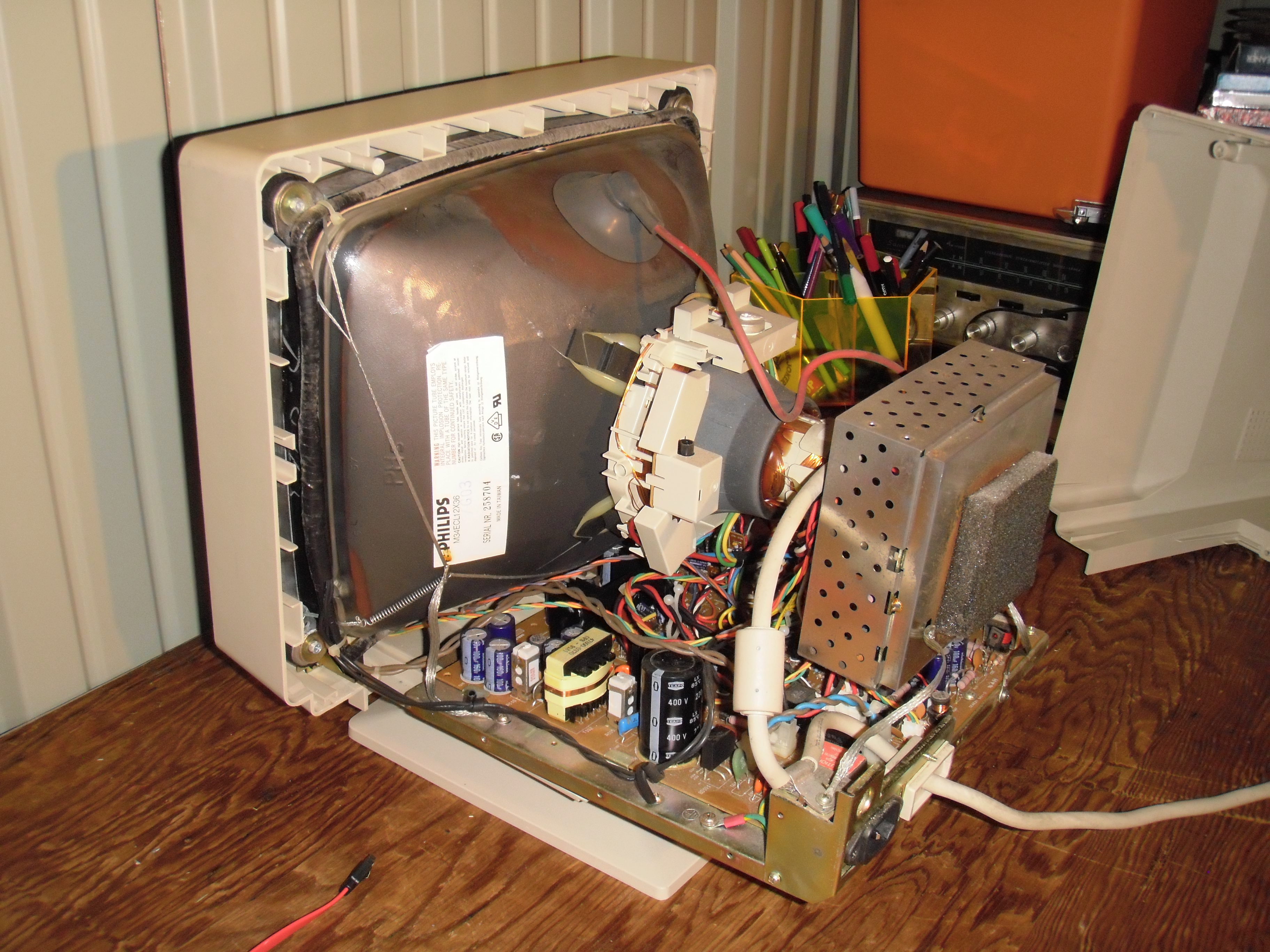 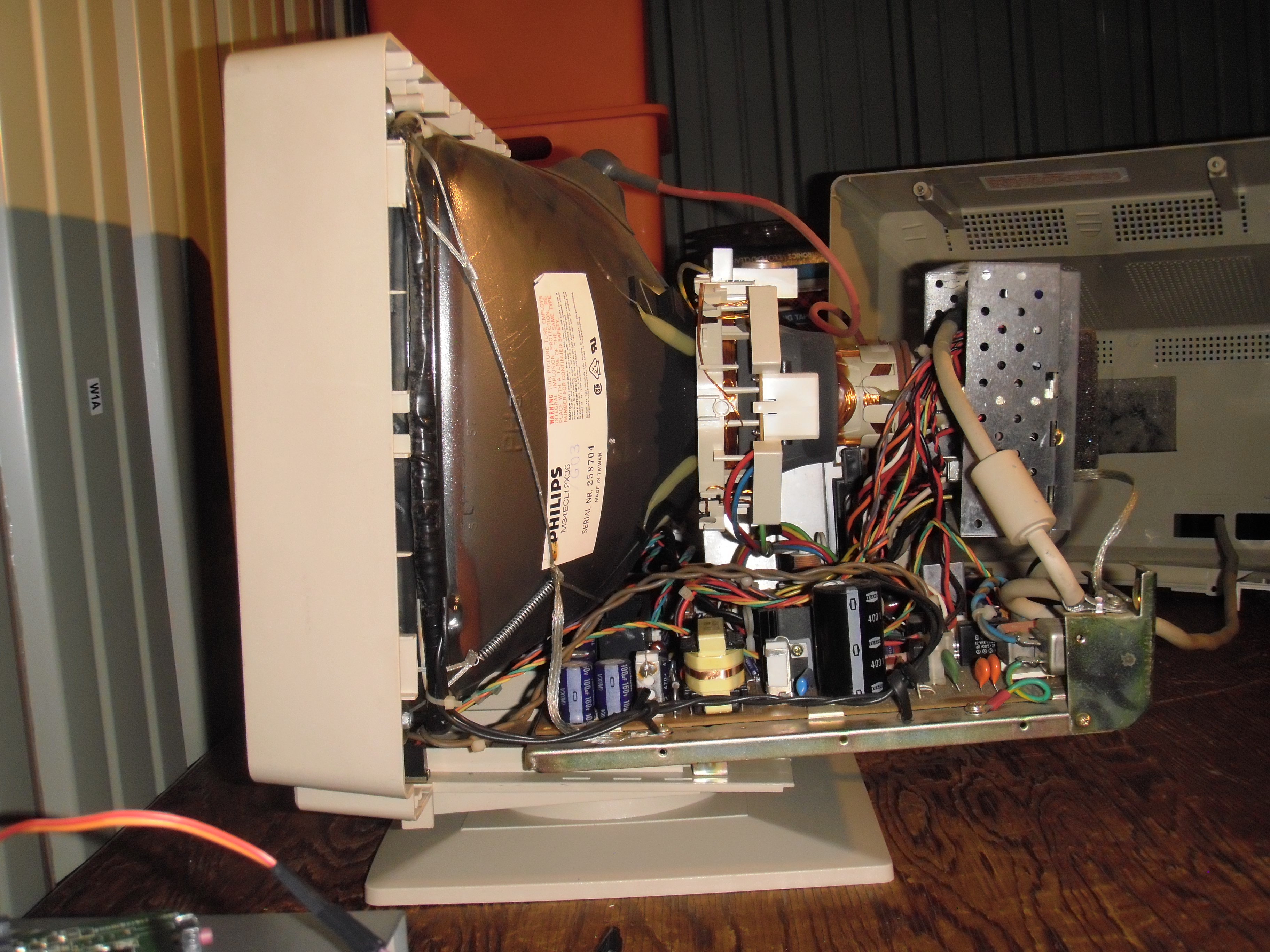 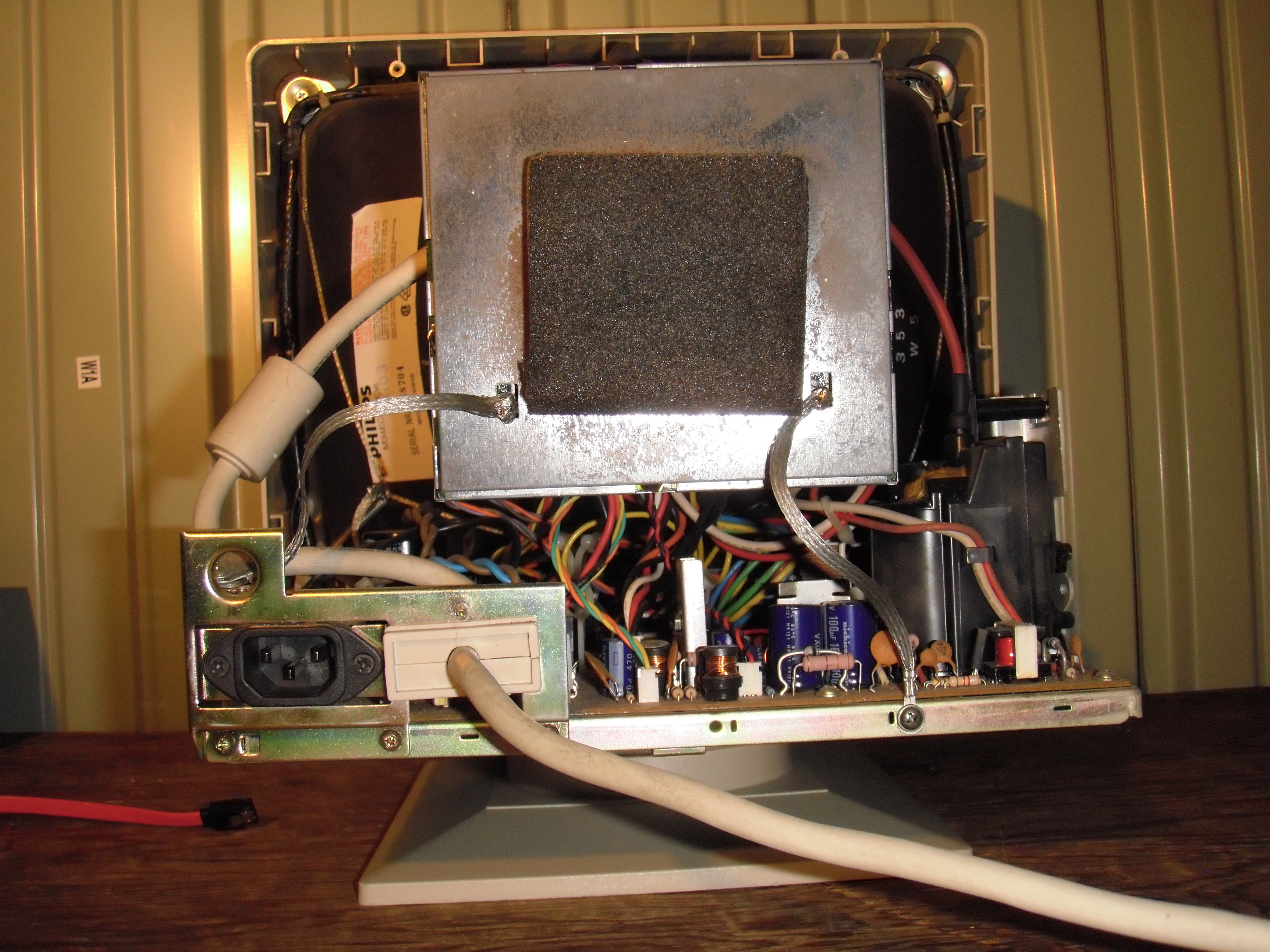 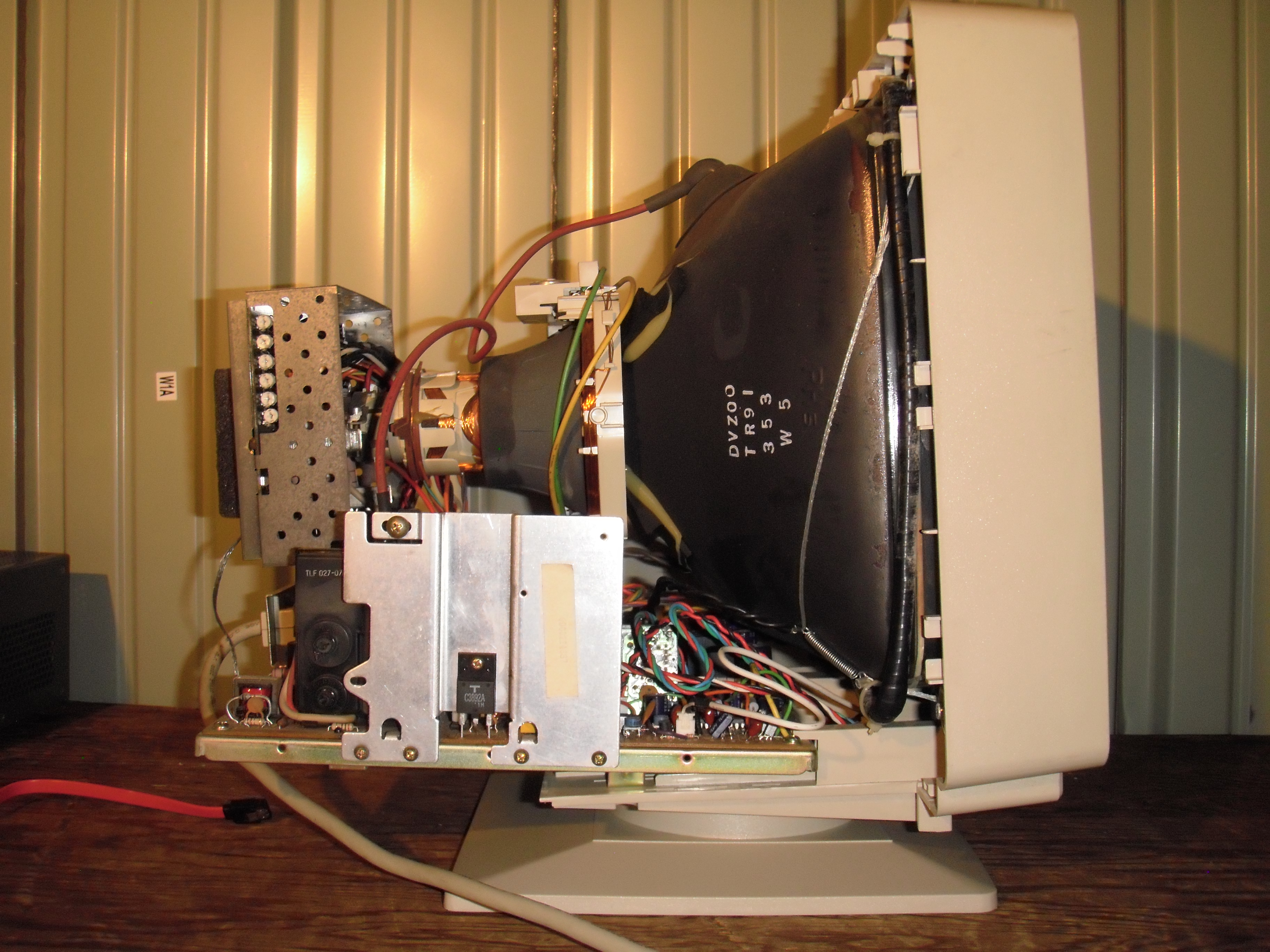 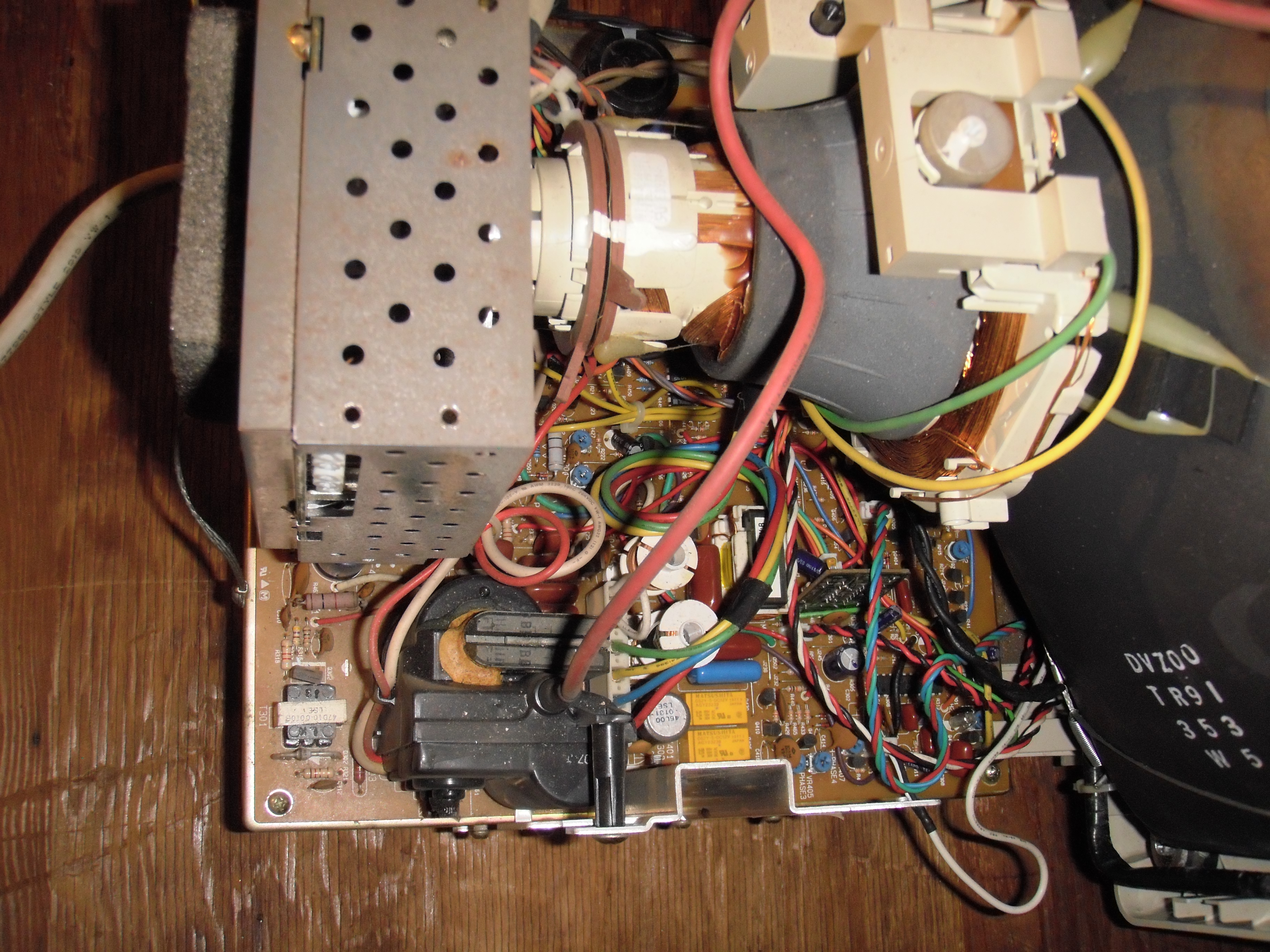 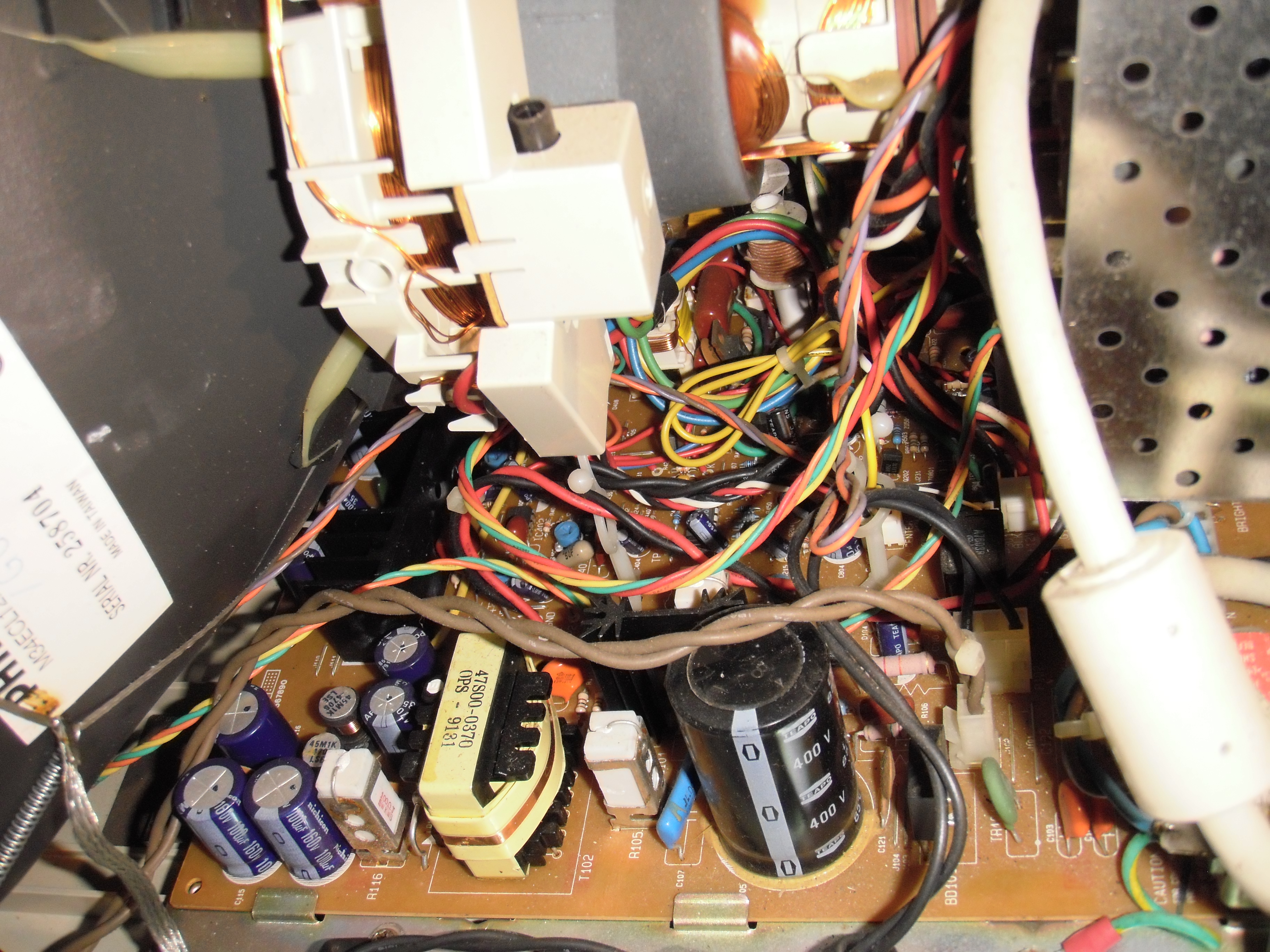 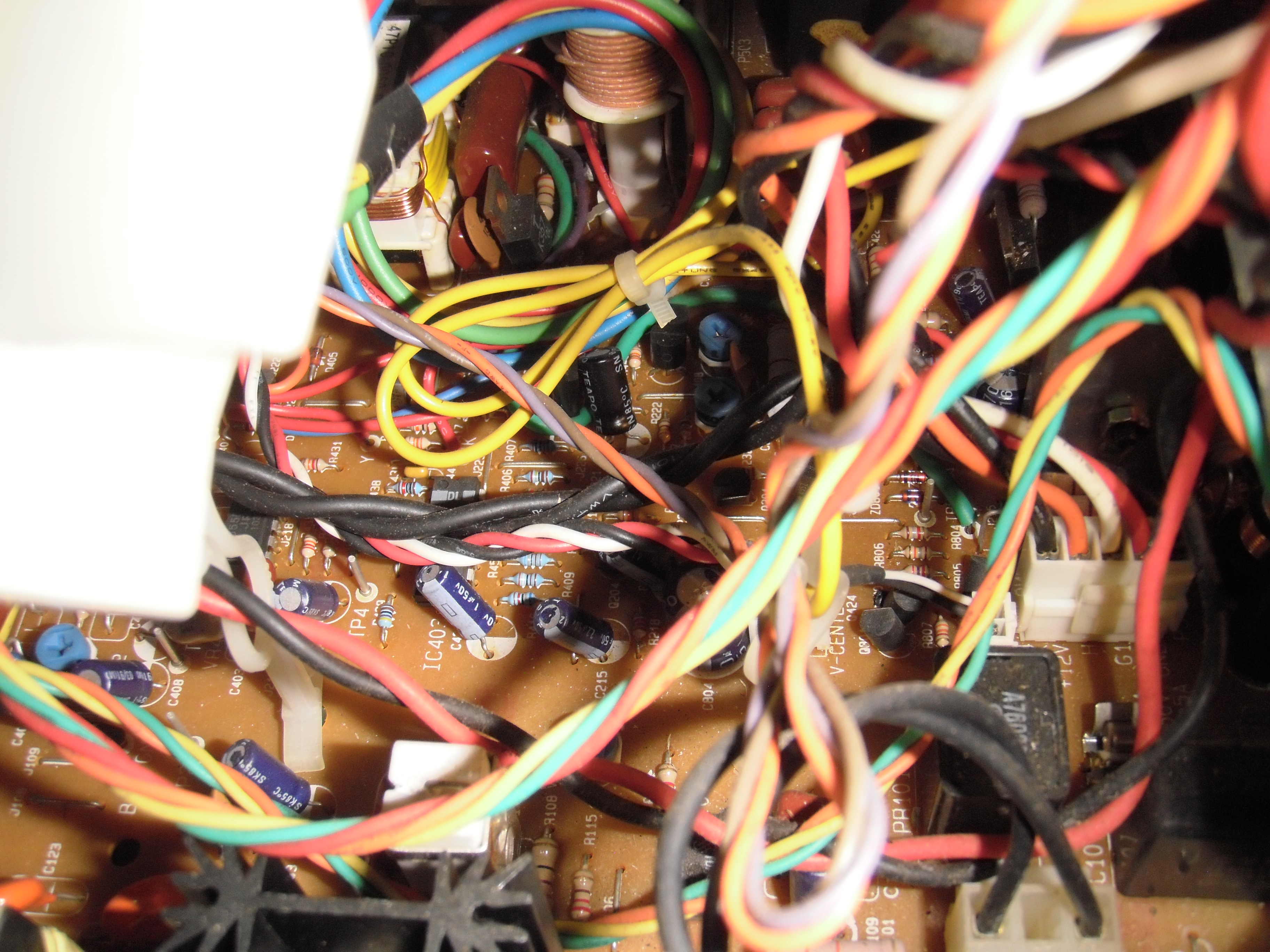 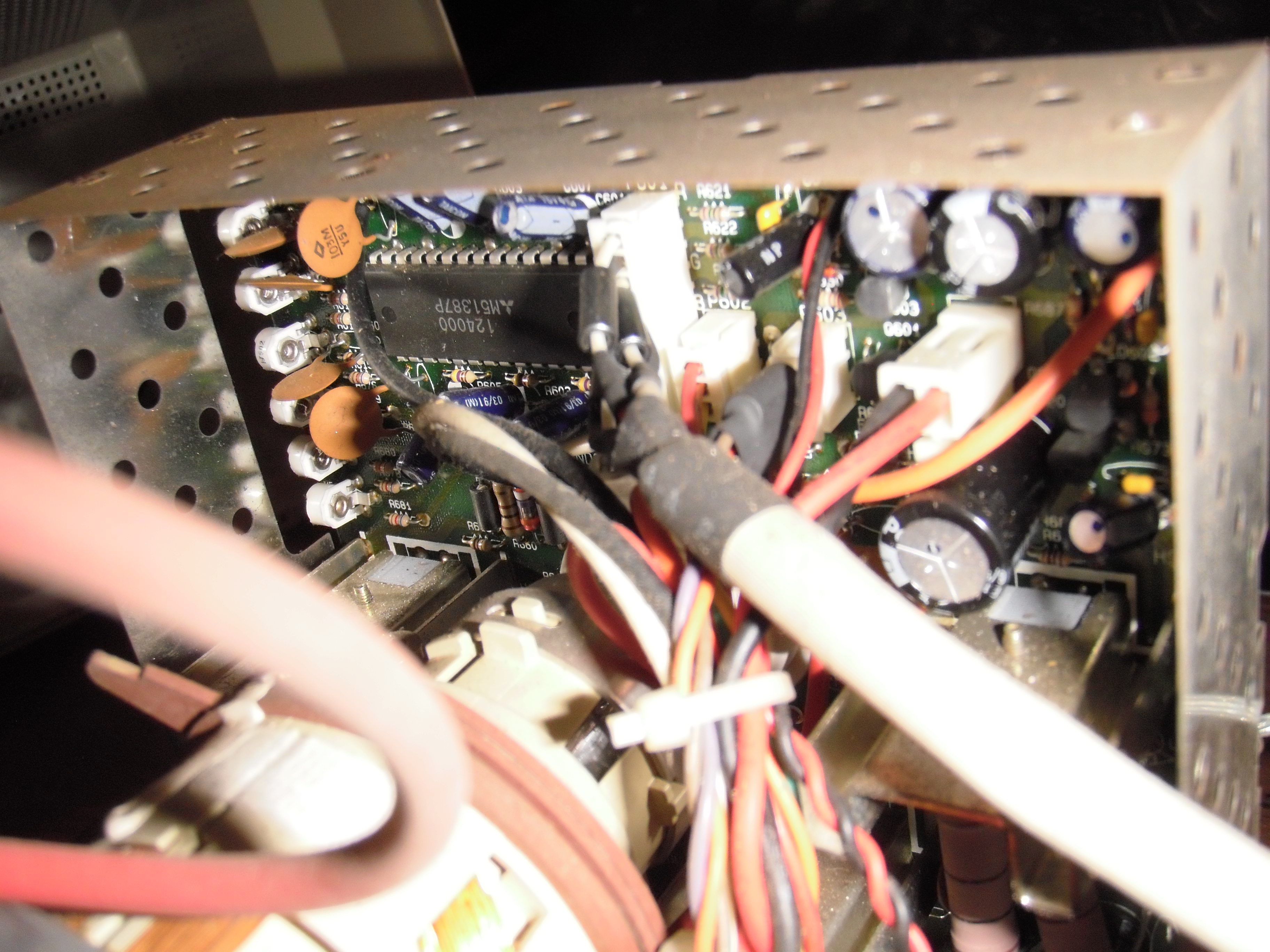 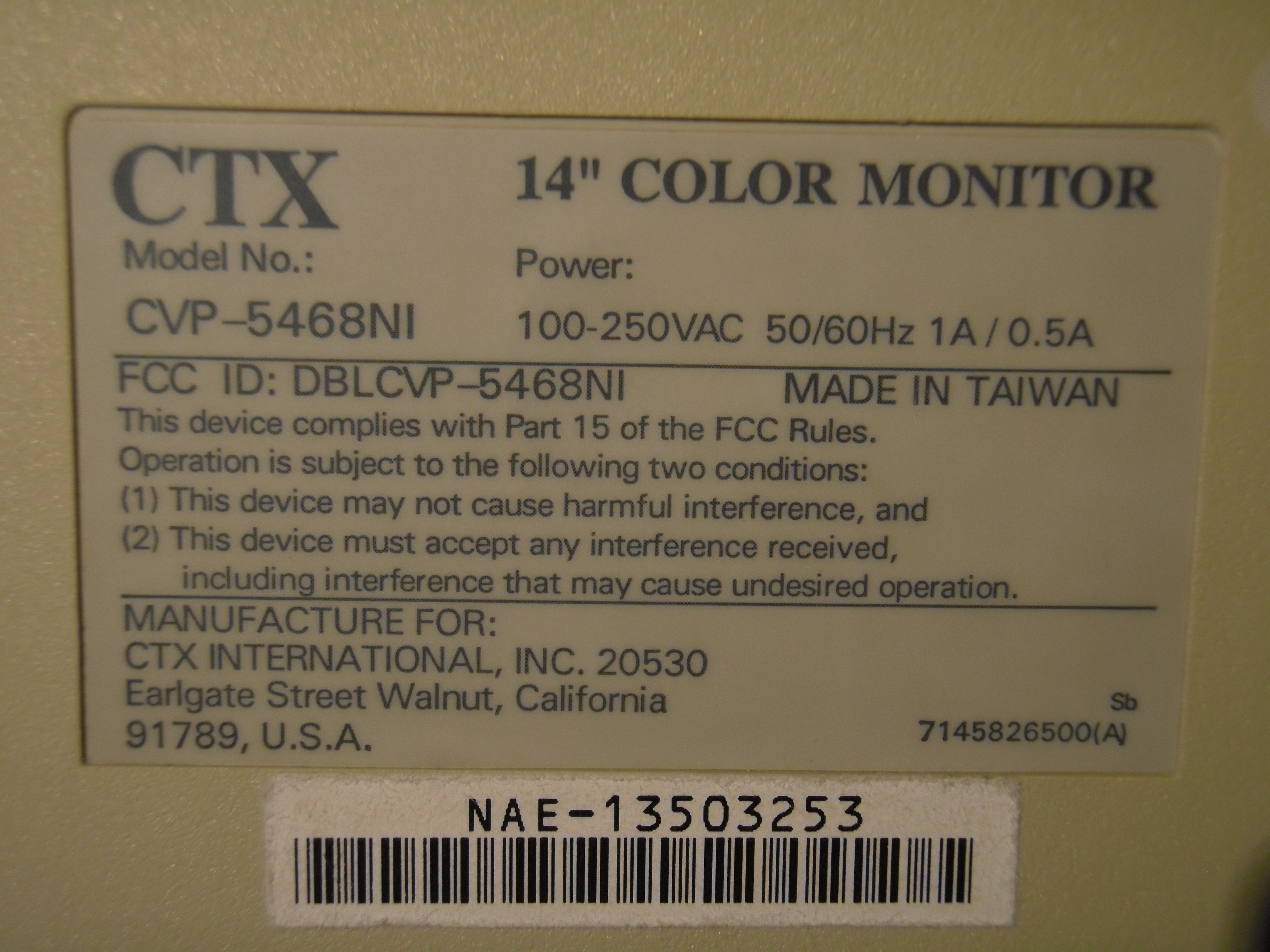 A google search with "5468NI" in quotes returns a few pages mentioning this monitor and repairs. https://crtdatabase.com/crts/ctx/ctx-cvp-5468ni https://asavage.dyndns.org/Monitors/monitors.html (search in page for 5468) https://pe2bz.philpem.me.uk/Html_faqs/Monitortips.htm (search in page for 5468) I'm inclined to think that a component in one of the horizontal circuits has failed and is bringing down HV or B+, after all XGA is the highest mode supported and therefore highest stress. I'll have to look over the example multisync SVGA monitor block diagram and see how these things really work (coming from CRT TV repair where the frequencies are fixed). Any feedback would be appreciated. I really want XGA mode to work again on this monitor. It looked really good especially when driven by modern video cards which output very crisp VGA signals.
__________________
 We're all in the same boat. 
|
|
#2
05-25-2025, 07:54 PM
|
||||
|
||||
|
With all TV's & monitors from anywhere look for cold joints.
ESPECIALY in the oz drive & output. Tapping & poking the chassis often smoke out the problem. BTW you can look up the FCC Id number or type acceptance ## to find the real OEM model etc. Goto FCC.GOV 73 Zeno LFOD !
|
|
#3
05-25-2025, 08:38 PM
|
||||
|
||||
|
Looks like this monitor is what they say it is... The model number is the same under FCC filings.
https://fcc.report/FCC-ID/DBLCVP-5468NI Would be nice to have the service manual
__________________
We're all in the same boat.
|
|
#4
05-29-2025, 07:53 PM
|
||||
|
||||
|
I tried slapping the chassis and poking some parts near the flyback/HOT with a pencil while in 1024x768 mode, nothing happened.
I did notice that when the monitor is displaying 640x480 and 800x600, the HOT is warm. But with 1024x768 it gets burning hot, I can't leave my finger there. I took pictures which show operation in 800x600 and 1024x768, but I'm hyperlinking them so they won't embed in the page. They're huge 10 megapixel shots just like the last ones. 800x600 (SVGA) mode. 1024x768 (XGA) mode. It's broken!
__________________
We're all in the same boat.
|
|
#5
05-29-2025, 08:05 PM
|
||||
|
||||
|
If the multisync selection is handled by discrete logic like it was in the early 90s, then you could have a bad chip or voltage in that area.
The way that they did that stuff before there were common ICs to do the resolution binning is that the incoming signal would hit a series of logic gates and comparators that would flip according to what frequency signal was there. If anything is off in that part of the circuit, then the whole input section cascade fails. By around 1994 or so, I think they had mostly transitioned to dedicated ICs that could do the resolution binning and tell the deflection circuitry how to behave. It's really a big idk unless you have schematics though. Maybe someone else could help, but it's pretty hard with zero knowledge of the layout. That time period had a very, very large spread of potential circuit layouts.
|
| Audiokarma |
|
#6
05-29-2025, 08:37 PM
|
||||
|
||||
|
The horizontal section has two ICs, an LA7850 for deflection and an HD74LS86P which is four XOR gates. It's mounted on a little card with a few passives and four wires going to the neckboard.
There's a cap (C427) which lives right next to the LA7850 and H-hold adjustment and it looks like the type that cracks and smokes. I totally forgot what it's called
__________________
We're all in the same boat. Last edited by luRaichu; 05-29-2025 at 08:51 PM.
|
|
#7
05-29-2025, 08:48 PM
|
||||
|
||||
|
Quote:
Without a schematic, I wouldn't be able to solve that puzzle. Too complicated for me.
|
|
#8
05-31-2025, 09:11 PM
|
||||
|
||||
|
.
Good Evening; Good monitor, well worth keeping... The second picture you posted https://files.catbox.moe/yo5ysk.JPG Looks like you have horiz linearity problem, as listed on the site https://asavage.dyndns.org/Monitors/monitors.html like you said search cvp-5468. I noticed that in a lot of the symptoms & solutions area there are little reference to what mode the monitor is working in when the problem is observed, so the mode selection may be the wrong spot to go looking for an answer.... + Your screen pic seems to show a properly synced picture, just poor linearity - So check on the part they suggest 5468 Hori linearity problem C322 .39J 400v. ESR should be less than 10. At least that is where I would start with the information available. The other thing I would do is step through all the items in the menu, be sure every item works as it should, geometry, pincushion, etc. Also it may just be worth looking at, but in this pic: https://files.catbox.moe/a8oibs.JPG Not quite center of pic there is a cap that in just above a twisted Orange, Yellow, & Green wires that looks a little big on top - Look at it closer..... Also lots of the problems & solutions on that page reference bad solder joints - Like Zeno said, so make that a priority. Also, this was a High $$ Monitor so chances are the parts were better than they use today, so Don't go randomly changing caps just cause you think you should, change only what's necessary. Find the actual fault. Good Luck. .
__________________
Yes you can call me "Squirrel boy" Last edited by Username1; 05-31-2025 at 09:23 PM.
|
|
#9
06-01-2025, 12:12 PM
|
||||
|
||||
|
Quote:
I'm not saying this is impossible, but could you suggest a situation where a component in the horizontal linearity circuit is bad, but it only manifests in a single resolution?
|
|
#10
06-01-2025, 01:26 PM
|
||||
|
||||
|
I know nothing about this monitor, but I can imagine components being switched in for a certain mode, and either the switch or the auxiliary component failing.
|
| Audiokarma |
|
#11
06-01-2025, 05:12 PM
|
||||
|
||||
|
.
Well I don't know how this thing works, I did see the spec sheet for the deflection chip you posted, and it seems to have a very wide frequency range that it will work under. But still uses the same vert. & horiz output drivers, transformers, yoke etc. So that means the output circuit needs to have a wide bandwidth with relatively linear flat response. The Q&A Board with a symptom "5468 Hori linearity problem C322 .39J 400v. ESR should be less than 10." Could lead to the problem, or that part of the circuit where you need to test a lot of components blindly. Without a schematic you have to start somewhere, it might as well be C322. That cap they are saying something about it's ESR, so could that cap be in a spot that might effect the frequency roll-off of the horiz. deflection? Don't know. Without a service manual, which often may have a theory of operation section, may explain what parts are dependent on mode, and which are not. Someone here once had a tv they were fixing and no one could find a service manual for, so he drew a circuit himself of the tube and attaching parts and figured out what he had to do to get it fixed. If you don't find a service manual, you may just have to track down this cap C322, and figure out if it's important or not.... It's just my 2 cents as to where I would start. Again with the information available, which ain't much, it's gunna be hard to pick a starting point. If there were multiple pictures side-by-side, or some non synced picture, I might suspect the mode switching section, that's just my thinking, it's somewhere else, I could be wrong. I have not had this problem on a multi-synced monitor. .
__________________
Yes you can call me "Squirrel boy" Last edited by Username1; 06-01-2025 at 05:16 PM.
|
|
#12
06-01-2025, 06:01 PM
|
|||
|
|||
|
C322 as a suspect makes a lot of sense, especially if it's tied to horizontal linearity at higher scan frequencies. XGA would push the deflection system harder than VGA or SVGA, so a cap on the edge of spec might not show issues until then. ESR rising past 10 ohms could absolutely distort the waveform under load. Without schematics, starting with parts known to fail under similar symptoms is solid strategy.
|
|
#13
06-02-2025, 11:36 AM
|
||||
|
||||
|
Quote:
Quote:
I searched Jason Scott's Discmaster for "5468NI" and found old shareware versions of Anatek's "Resolve Monitor Repair Database" on some commercial CD-ROMs. They're DOS programs which list many monitors and repairs. Unfortunately these versions only have information on the CTX CVP-5468 which is very similar to mine except it doesn't support Non-Interlaced (NI) modes that the 5468NI can show. I was able to run Resolve in DOSBOX and took some screenshots of listed repairs for the 5468. List of repairs List of repairs (continued) SCREEN TO BRIGHT, RASTER BRIGHT, NO CONTRAST/BRIGHTNESS NO COLORS DEAD, NO RASTER, NO VIDEO, SMOKED, BLANK SCREEN, SHUTS DOWN #1 DEAD, NO RASTER, NO VIDEO, SMOKED, BLANK SCREEN, SHUTS DOWN #2 DEAD, NO RASTER, NO VIDEO, SMOKED, BLANK SCREEN, SHUTS DOWN #3 DEAD, NO RASTER, NO VIDEO, SMOKED, BLANK SCREEN, SHUTS DOWN #4 DEAD, NO RASTER, NO VIDEO, SMOKED, BLANK SCREEN, SHUTS DOWN #5 DEAD, NO RASTER, NO VIDEO, SMOKED, BLANK SCREEN, SHUTS DOWN #6 DIES, TRYS TO COME UP AND DIES, USUALLY JUST AFTER STARTUP HORIZONTAL LINE, NO VERTICAL, VERTICAL COLLAPSE NO HORIZONTAL SYNC, JITTERS, ROLLS NO VIDEO, BLANK SCREEN, NO CHARACTERS, RASTER BUT NO VIDEO #1 NO VIDEO, BLANK SCREEN, NO CHARACTERS, RASTER BUT NO VIDEO #2 NO VIDEO, BLANK SCREEN, NO CHARACTERS, RASTER BUT NO VIDEO #3 VERTICAL LINE, NO HORIZONTAL, NO SCAN VERTICAL SIZE IS WRONG, SCRUNCHED, VERTICAL COLLAPSE However, it looks like Resolve 3.17 and above document the 5468NI. http://web.archive.org/web/199610280...om/reslist.htm It cost $249 back in the day..! The Internet Archive doesn't have anything newer than the freeware releases of Resolve 2. If anyone has Resolve 3.17 or greater, please let me know. As for CTX, their service manuals were only $15 direct from them. http://www.repairfaq.org/REPAIR/F_mo...ml#MONFAQI_003 So I'm sure some old repair shops or people still have the schematics for this monitor. They just haven't been archived yet.
__________________
We're all in the same boat.
|
|
#14
06-02-2025, 02:43 PM
|
|||
|
|||
|
BTW: this monitor have S-cap switching for each resolution? And have variable HOT supply (one voltage for each resolution, probably)?
To be sure if for eg. for a higher resolution the supply will need to change (for measuring and avoiding damage). If remains untouched, the PSU have stuck with one single resolution setup (naturally the possibly culprit will be the resolution freq. select already cited here), and image or are shrink with one resolution, or too big with another.
__________________
So many projects, so little time...
|
|
#15
06-02-2025, 02:49 PM
|
||||
|
||||
|
I've had luck in the past doing a saved search for a repair manual I couldn't find and waiting until it came up on ebay. In some case, it took like 10 years for that to happen, but others more like 1-3 years. I know that doesn't sound ideal, but if you can just stick it in a closet and use something else for now, it could be a future project. That's more or less how I do things when I get stuck.
Of course, there's been some good suggestions too, you could try checking the ESR on that cap and see if it's okay. Also, reflowing the solder on the PCB will fix a surprising number of faults; old solder fails.
|
| Audiokarma |
 |
| Thread Tools | |
| Display Modes | |
|
|


 Linear Mode

