
|
|
|
#1
 10-25-2012, 01:13 AM
|
||||
|
||||
|
Warm TV
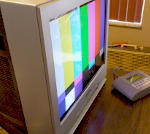
I don't know if I have ever noticed this before, but when I came home from work, I usually put my wallet and keys on top of my TV. Well while taking my shoes off I put my hand on the top of the TV to get balance, and noticed that the top of it was warm.
Why would the TV be warm, if it has been off for 10 hours? When I turn the power switch off on these old TV's, doesn't it essentially disconnect the AC line? I thought they did. I'm a little baffled now. My father has been in bed sick all day, so he sure hasn't used the TV. 
|
|
#2
10-25-2012, 01:32 AM
|
||||
|
||||
|
What type of TV is it? Does it have an instant on feature?
__________________
"It's a mad mad mad mad world" !! http://www.youtube.com/user/mwstaton64?feature=mhee
|
|
#5
10-25-2012, 10:08 AM
|
||||
|
||||
|
That set may have a constant power supply to keep the CRT filaments half-way, which could possibly make the top of the cabinet warm to the touch if the room is cold, I guess. I personally don't think it should be noticeably warm though. My advice is unplug it 'til you solve the mystery. The only malfunction I can think of, which could do that if it's NOT a normal cause, would be if the degaussing thermistor is going bad and is randomly turning the degaussing coil on. That would make the front of the top of the cabinet warm for sure. But it would likely also burn out quickly, and you'd hear it humming for a second or two on & off.
Charles
__________________
Collecting & restoring TVs in Los Angeles since age 10
|
| Audiokarma |
|
#6
10-25-2012, 10:27 AM
|
||||
|
||||
|
I get home at midnight, I doubt sunlight was the cause.
 I sure hope it doesn't keep the CRT filaments on a little, no wonder why the CRT is tired then for a TV that "looks" like it's a low hours set. Haven't heard the degauser run, but I'll check for that though.
|
|
#8
10-25-2012, 06:29 PM
|
||||
|
||||
|
That's strange. "Instant on" pretty much went away by the mid '70's. By the time this Samsung was made, most TV's relied on a secondary winding from the flyback transformer to provide filament voltage, as well as other voltages for the set. The only way for the flyback to produce any output would be for both the power supply and horizontal oscillator/driver circuits to be powered on. It's possible that someone installed a seperate filament transformer for the CRT and didn't wire the primary winding past the switch. If that's the case, it wouldn't be a problem to wire the filament transformer after the switch so that it will be switched on and off with the TV.
__________________
http://www.youtube.com/user/radiotvphononut
|
|
#9
10-25-2012, 08:03 PM
|
|||
|
|||
|
Quote:
You have to look at the connections on the on-off switch.
|
|
#10
10-25-2012, 11:06 PM
|
|||
|
|||
|
You may have a stuck power relay. If so, the power may be on all the time, but audio and video muted by system control. BUT, you said there was no HV, and that sort of kills my idea. I figured I'd throw it out there anyway just for something to think about.
Try this....put an AC ammeter in series with one side of the power cord and see if it is pulling any juice. An easy way to do that is to pop the fuse out of the set and clip the ammeter to the fuse clips. Another idea: Do you have a cat? Cats are warm and I understand they like to sleep on top of stuff like a TV EDIT: I just looked at the picture again, and see that it looks like a non-remote set. Probably no relay, but the on/off switch may be stuck on Last edited by Geoff Bourquin; 10-25-2012 at 11:08 PM. Reason: I started thinking
|
| Audiokarma |
|
#12
10-25-2012, 11:33 PM
|
||||
|
||||
|
Quote:
|
|
#13
10-26-2012, 12:19 AM
|
||||
|
||||
|
I don't know if these pictures help. Hard to get board pictures without pulling it out, and I don't feel like disconnecting everything.
The power switch does go open when off, so it's getting power from somewhere else. http://img.photobucket.com/albums/v3...n/tvboard1.jpg http://img.photobucket.com/albums/v3...n/tvboard2.jpg http://img.photobucket.com/albums/v3...n/tvboard3.jpg
|
|
#14
10-27-2012, 12:34 AM
|
|||
|
|||
|
Just thinking out loud here....
I'm stumped. The on/off switch opens when off. I would expect that to shut off all power to the set. The heaters are lit when the set is off, but there is no HV. Wierd. I'm pretty sure those sets get the heater voltage from a winding on the flyback, so HV and heater should come and go together. Is it possible someone rewired the set to get heater voltage from someplace else? Even if so, the heater only burns a couple watts so I wouldn't expect any noticeable heat. Perhaps a leaky or shorted capacitor across the power switch? Nah. that doesn't explain the heater staying on but no HV. Charles mentioned the deguass coil staying on. That would hum, and make a mess out of the picture, but it would run warm, at least until something (thermistor?) dies. Try unhooking the deguassing coil and see what happens. RCA used to activate the coil when the TV went OFF, not ON, so a leaky thermistor might keep it going. I dont think I have ever seen that design on a Samsung, but there's a lot of stuff I have never seen. Still, all of this deguass talk doesn't explain the heater staying on.
 I'm going to bed. 
|
|
#15
10-27-2012, 12:39 AM
|
||||
|
||||
|
Well, there's a couple point to point wires on the bottom of the PCB. Here's a picture I took several months ago when I first got this TV.
http://img.photobucket.com/albums/v3...d/IMG_0394.jpg Two wires, black and orange. I don't know if these could be causing it.
|
| Audiokarma |
 |
|
|






 Linear Mode

