
|
|
|
#17
 06-22-2012, 07:55 PM
|
||||
|
||||
|
Well, it looks like the color doesn't go to zero. (ALso notice the difference in color of their jackets). So then, it's hard to judge the black and white tracking without a test pattern, but it does give the impression of too much red and maybe not enough green.

|
|
#19
06-22-2012, 08:32 PM
|
||||
|
||||
|
Yeah, the phone camera pic has a cyan cast. If it appears neutral gray to the eye, it's OK. Are you sure the preview is not tinted?
|
|
#20
06-22-2012, 08:37 PM
|
|||
|
|||
|
Definitely. At least in that preview, it's perfect B & W. I have another picture taken right after that one that has a green tint. Oddly, messing with the hue does nothing to the B & W picture, go figure.
I do see red smearing around the white letters in my second to last post. So is the tube worn? If so, that's too bad.
|
| Audiokarma |
|
#21
06-22-2012, 09:16 PM
|
||||
|
||||
|
The hue should have no effect on a black and white pic, so that's OK
The letters show some red misconvergence, not smearing. (red on one side, cyan on the other). So, I'd say the tube is not looking worn.
|
|
#22
06-22-2012, 09:20 PM
|
||||
|
||||
|
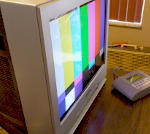
Despite all the negative diagnoses, the color picture does look reddish. (You said that's how it looks to the eye). I think you really need to look at some test patterns, or have someone else with some expertise fiddle with the controls and diagnose what's happening.
|
|
#23
06-22-2012, 11:33 PM
|
||||
|
||||
|
Quote:

__________________
Chris Quote from another forum: "(Antique TV collecting) always seemed to me to be a fringe hobby that only weirdos did."
|
|
#24
06-22-2012, 11:37 PM
|
||||
|
||||
|
Sadly with my Samsung I can't put at 50%, it'd go very dim.
 I have to have it at 80% to get a normal picture (to me normal is darker than those newer TV's. I even turn down the computer brightness at work, hate those bright screens!) I have to have it at 80% to get a normal picture (to me normal is darker than those newer TV's. I even turn down the computer brightness at work, hate those bright screens!)
|
|
#25
06-22-2012, 11:54 PM
|
|||
|
|||
|
Quote:
Turning down the 'picture' to about 50% gives a very dim picture, perhaps I should turn the brightness up to compensate? The mechanical knobs have notches when they're at 50%, I assume for default values. The picture control is on-screen though, so I had no idea about it's default value.
|
| Audiokarma |
|
#26
06-23-2012, 12:12 AM
|
|||
|
|||
|
You know, I just had a thought.
I had a DVD with one of those THX optimizers. I followed the prompts, and I have to say, it looks a lot better; although it's still pretty 'warm'. The reds don't bleed anymore, which is great. Can I make the picture even better? EDIT: The picture's still pretty warm, though. What could cause the red gun to overwork like this, or was it like this since the beginning? Last edited by Outland; 06-23-2012 at 01:41 PM.
|
|
#27
06-23-2012, 09:04 PM
|
|||
|
|||
|
Well, I had a lot of time to calibrate it today.
I'm pretty certain that the tube is indeed pretty worn. It has that aged tube look, you know the type, where the colors are dim and you can't drive the brightness/contrast much without blowing out highlights. Unless someone knows something, it appears the tube is indeed at the end of it's life. Kind of a shame. The previous owner used it daily with the picture set at 100%, so now we know part of the reason.
|
|
#28
06-23-2012, 09:06 PM
|
||||
|
||||
|
I'm sorry, but non of your pictures have shown any sign of tube wear so far.
Where do you live? I'm sure one of us can take a look for you. I've learned too that if the G2 is too low, you can also smear colors at high contrast, for example...
|
|
#29
06-24-2012, 12:13 AM
|
||||
|
||||
|
Hey there.
Well after seeing those second set of pictures I would say you have a CRT issue of some sort. The color looks soft and the convergence looks off. Has the tv been dropped? Shawn
__________________
Honey, turn on the tv.. I'm cold!
|
|
#30
06-24-2012, 12:25 AM
|
|||
|
|||
|
Funny you should ask.
Well, it never fell, but between stuffing it into the car, taking it to the tech, and moving it inside the house, it may have received a bit of shock. Soft color? In my opinion, the problem is that the color is too radiant, with red being over-powering and green non-existant (turning the hue all the way to the right makes the picture yellow, not green). Would you mind elaborating? Last edited by Outland; 06-24-2012 at 12:31 AM.
|
| Audiokarma |
 |
|
|




 Linear Mode

