
|
|
|
#31
 01-15-2011, 11:50 PM
|
||||
|
||||
|
This set is getting on my nerves.
I flipped it up and started checking resistors, nothing really far out so I moved on to heat stressing capacitors. When I got to C197 on the 6AL5 V16 I could get the Horiz smearing to come and go across the screen as I heated or cooled the Cap, it was a Micamold and I am pretty sure it is Mica, anyhow I swapped it out with something close from a junk chassis, I let it play for a good half hour or more and the problem seemed fixed. I decided to clean up the mess in the Flyback cage, solder in the 10KV caps correctly and fix the wiring on the width coil. In the process of fixing the width coil I reversed the polarity on it, I didn't know if that would matter but it seems to matter a lot. After I put the big CRT back in and fired it up I had several terrible drive lines on the right half of the screen, I was able to adjust them out except one bad one in the dead center of the screen. I noted that I had to screw the slug nearly all the way out instead of nearly all the way in like it was before I switched the coil around. Does it make sense that reversing the coil would have this effect? I'm not even 100% sure it's the correct coils ince it's been replaced but I didn't have any serious drive line problems before, there was a little ringing on the left side though. This picture was taken before I did all that stuff, note the smearing through the picture. Not it doesn't smear but it had a bright lin down the center of the pic and faces distort when the pass through it. 
|
|
#32
01-16-2011, 03:20 AM
|
||||
|
||||
|
I did a little more in the wee hours.
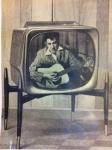
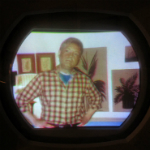
I took it back apart and reversed the Width coil, I don't think that's why I had the drive lines though. I found a jumper wire between the lugs of the Flyback that had come loose when I soldered the HV cap in, it was nearly touching so I didn't notice it. Put it all back together and all is nearly well, I'm still getting a little fold over creeping in on the left side after a while but at least it's not smearing across the entire face of the tube now, I need to rerun the Horiz setup again too. I'll order some new Mica caps for the sweep section and just replace them all, there's not very many. Also I don't know if I even used the right value, I just clipped the only one that was easy to get from the parts chassis and it must have been close because the Horiz locked right in. Oh, and i probably jumped the gun on buying some new HV rectifiers, 12kv and plenty bright, doesn't hurt to have some spares of those oddballs though. Pictures, I'm sure your all familiar with these characters:
|
|
#33
01-16-2011, 03:26 AM
|
||||
|
||||
|
And one more thing, what was Sylvania thinking putting the Contrast control on the rear apron next to the Vert H and Vert L controls?
I mean sure it has AGC so the contrast is fairly constant but it would be nice if it was easily adjustable. As it is the Contrast has little effect on the picture, the AGC on the other hand will go from blank to black. Oh yeah, I found out that lever I was asking about is the switch for the dial light.
|
|
#34
01-16-2011, 12:48 PM
|
||||
|
||||
|
Nice job!
I like how you used "leave it to Beaver" for the screen shots,any minute now that '59 Desoto will be driving past Wally and Beaver as the closing credits roll.
__________________
No wonder this circuit failed,it says "made in Japan"!
|
|
#35
01-16-2011, 01:36 PM
|
||||
|
||||
|
I had a lot of bad micamold capacitors in my '49 set also. Even the ones that were really mica. The other brands were fine.
There's not a lot of difference between your 7140M and my 1-108. The video is DC coupled so the brightness should be quite stable. I would have thought that if anything, they'd put the brightness in the rear and the contrast in front. I've attached the AGC adjustment for the 7130. I think it should work for your set too, but use pin 5 where it says pin 6. John
|
| Audiokarma |
|
#36
01-16-2011, 03:00 PM
|
||||
|
||||
|
I have a Sparton set at my folk's house with the contrast in back too, I agree it's not the best idea. It's a 21" set, and pretty cheap too. Maybe they were just trying to simplify the controls for users?
__________________
Evolution... 
|
|
#37
01-21-2011, 01:39 AM
|
||||
|
||||
|
I got the Mica Caps from Mouser and installed them, I also went ahead and rewired the width coil circuit to match the schematic.
The set now comes on with the Horizontal locked and stable, no smearing, there's a very slight amount of ringing on the left side, a new damper helped and it's so slight it's not noticeable unless you really look for it on blank scenes. I forgot to fix that vertical integrator thingy but the set works just fine without it so that can wait until the next time. I cleaned the safety glass and the genuine simulated woodgrain screen surround and put the chassis back in. I made and posted a quick video here: http://vintagetvsets.com/videos/Video%2020%202.flv I played that video through twice without a hiccup. I just need to polish the brass covers that go on the small knobs for the Volume control and Channel Selector and glue them back on. Last edited by Eric H; 01-21-2011 at 02:03 AM.
|
|
#39
01-21-2011, 08:56 PM
|
||||
|
||||
|
Congrats
 It looks pretty darn good to me! It looks pretty darn good to me!P.S. It played in Windows Media Player fine for me. Maybe you need a newer version of flash ?
|
|
#40
01-21-2011, 08:59 PM
|
||||
|
||||
|
It didn't open in any window for me, it just downloaded. When I opened the download it played fine in WMP.
|
| Audiokarma |
|
#41
01-21-2011, 10:48 PM
|
||||
|
||||
|
I think you need Flash player 10.
I converted it to Flash by uploading it to YouTube then downloading it again, (then I deleted it from YouTube) that was quicker and easier than converting it locally and it reduced it from 50 meg to 5. It plays in Real Player, Media Player and Quick Time for me, you might try downloading it and trying different players till you find one that works.
|
|
#42
01-22-2011, 03:11 PM
|
||||
|
||||

Quote:
Adobe tricks you into installing McAfee by putting a small checkbox far away from the download link and defaulting to opt in for install. That was sneaky. I'm dissappointed with the newer versions of most of their free software. I'm reluctant to upgrade to a newer version of Acrobat Standard because of the way their latest reader performs. I'm reluctant to pay for support of their free programs. I can't even find where Flash Player 9 resides. It doesn't show up in the plugins, only version 10, nor does it show up in add/remove programs.
|
 |
|
|





 Linear Mode

