
|
|
|
#1
 09-28-2013, 12:55 AM
|
|||
|
|||
|
Sony Wega Problem
Hello all,
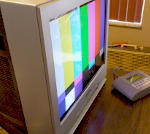
Newbie here with a small problem looking for some advice. I was at Goodwill the other night and saw this Sony Wega (KV-32HS420). http://esupport.sony.com/US/p/model-...ls#/manualsTab It was only $25 so I bought it and took it home to replace my other CRT because the screen is tilted and I can't figure out how to correct it. I'm using a SCART to Component converter for my Sega and it looks great on the old tv but not so on the one i just bought. After some research, it looks as though the new one I bought is an HD CRT and not SD. It's lowest resolution is 480i and the Sega's highest is 240i (i think). Is there anyway to fix this or did I just waste $25? Any help from you technical superstars out there would be stupendously appreciated 

|
|
#2
09-28-2013, 01:23 AM
|
||||
|
||||
|
Hey, welcome to the forum.
 As I had stated on the other forum, that's a high scan TV, and the SEGA's 240p output, will be upscanned to something like 480p. That won't cause the tilt though. As I had stated on the other forum, that's a high scan TV, and the SEGA's 240p output, will be upscanned to something like 480p. That won't cause the tilt though.Hopefully someone here can chime in, if there's a service menu mode that has a rotation adjustment to fix the geometry, or if need be, a yoke rotation (though I hope not).
|
|
#3
09-28-2013, 08:35 AM
|
||||
|
||||
|
If the Sony is working right it will give a better pix than
anything new IMHO. That was prob. the best CRT TV as far as pix goes ever built. I never ran a game on the one I had so cant imagine why it looks bad. Try it on a regular TV like cable etc & see how it looks. The sets did have a chronic problem with the power supply but nothing to do with the pix. Your old set probably just has a twisted yoke & we can get you through that easily. A few do have tilt or rotation adjustments in the service menu BUT its not normal for a set to drift out. Usually its a bad part or the data got corrupted by static etc. 73 Zeno 
|
|
#4
09-28-2013, 05:02 PM
|
|||
|
|||
|
Quote:
The recently bought tv is HD (from what I've been told by other members) and it can't handle the 240p from my Sega Genesis so that TV is gonna go back to goodwill or put on craigslist. The one I have with the tilt problem is the KV32FS320. It did a tilt correction in the service menu and it seemed to fix the problem but I don't know what the correct settings should be.
|
|
#5
09-28-2013, 06:50 PM
|
||||
|
||||
|
Quote:
settings are model dependent & must be set to a certain number. So either that data got corrupted OR something is failing & you made it look OK again. BTW be VERY careful in the service menu, ALWAYS write down the numbers you change so you can go back. 73 Zeno
|
| Audiokarma |
 |
|
|




 Linear Mode

