
|
|
|
#1
 05-06-2014, 11:48 AM
|
||||
|
||||
|
Telebar on/off switch issue
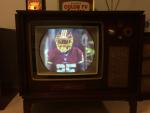
So got the channel 7 tuning strip replaced from the donor Admiral tuner I grabbed off eBay and got the below pic with good sound dialed in now. So that was a success.
 I am running the TV without the radio/phono plugged into the TV chassis. Just needed to jumper two pin sockets together of the radio/phono socket plug on the back of the TV chassis. But it looks as though the on/off knob is not working. Even with the knob "clicked" to the off position the set is on and running as soon as I plug it in. There is no volume obviously b/c that portion of the knob appears to be working fine. So clicking on the knob really just turns up the volume.  Anyone know what my issue may be and how to resolve? Other than the set not turning off, this knob appears to be working in regards to volume and contrast fine. THX!
__________________
-Al 
|
|
#2
05-06-2014, 11:56 AM
|
||||
|
||||
|
Below is a picture of the schematic. The green line is the shorting wire that I had to install to run the TV without the radio/phono plug in and the red circle is the TV on/off/volume/contrast knob. I believe shorting socket pins "K" and "L" are for the cathode heater (if I remember correctly from the original Admiral Service Manual I have).
Maybe this will help anyone see what I may need to check out. Or do I just need to crack the switch open and check that out? If so, Could I even fix?
__________________
-Al Last edited by bigaudioal; 05-06-2014 at 12:15 PM.
|
|
#3
05-06-2014, 02:37 PM
|
||||
|
||||
|
So even without the radio connected and the switch on the TV's volume control off the set remains on?
From that schematic I can't glean the full power control scheme (ie. how the TV, radio, and phono switches interact). If that is the case the switch may be stuck. On a good number of controls you can remove the control disassemble the control and fix it, but it may just need some control lube/cleaner sprayed into the power switch (work the switch on and off several times during/right after spraying the lube).
__________________
Tom C. Zenith: The quality stays in EVEN after the name falls off! What I want. --> http://www.videokarma.org/showpost.p...62&postcount=4
|
|
#4
05-06-2014, 03:05 PM
|
||||
|
||||
|
Quote:
Manual said to service TV alone, insert a jumper wire between pin sockets "K" and "L" on the radio/phono plug socket on back of TV chassis. This way the TV should just operate alone. I did this to try and figure out if the on/off issue was in the TV chassis or in the radio/phono chassis. So it seems to be the main TV on/off knob that must be stuck on. It still makes the clicking sound and feels normal, but does not power down the set in the off position. This is a 3 pot piggy back setup off one shaft. At the rear is the on/off switch. Middle is the volume pot and in front is the contrast pot, which operate off a larger knob behind the on/off/volume knob. Guess I will try and pop the on/off portion of the knob apart and get some lube in there, but it sure feels like it is operating normally. Clicks on turning clockwise and then keep turning to increase volume. Turn counter clockwise and volume decreases to nothing just before the "click" off. Except the click off does not turn the set off. Just keeps running with no volume obviously.
__________________
-Al
|
|
#5
05-06-2014, 04:17 PM
|
||||
|
||||
|
The click is usually a mechanical detent on the control shaft rather than the switch so the switch contacts could be completely removed and the control would still click.
It's not uncommon for the contacts to stick in a position (on or off depending on design and position it was in when it stuck). And provided the contacts did on weld them selves on or the mechanism that actuates them got damaged it should be a easy fix with some lubricant. A back up plan if it is worse than a contact sticking is to send it to a control rebuilder(there are one or two good ones in the radio collecting community that will do TV controls too).
__________________
Tom C. Zenith: The quality stays in EVEN after the name falls off! What I want. --> http://www.videokarma.org/showpost.p...62&postcount=4
|
| Audiokarma |
|
#6
05-06-2014, 04:35 PM
|
||||
|
||||
|
Thanks for the info. Time to take a control apart.
 That must be what happened.
__________________
-Al
|
|
#7
05-06-2014, 08:26 PM
|
||||
|
||||
|
Brilliant!!! So got home and hooked up my meter to the on/off switch. Should be a 250K switch. Reading was infinite while turning on and off. So I squirted the only spray lube I had (WD-40) all over the switch while clicking it on and off. Nothing at first, but then kept working the switch and all of a sudden bingo! 265k when off and infinite when on. Think that did it.
I am having some horizontal synch issues so testing and replacing resistors and maybe a few micas in that section before firing the set back up, should get that done before the weekend. Thanks again!!!
__________________
-Al
|
|
#9
05-06-2014, 08:50 PM
|
||||
|
||||
|
You are correct! The 250k was the volume section of the switch and the power section is infinite and zero now. My bad. Both have been improved greatly by lubing and working them.
__________________
-Al
|
|
#11
05-06-2014, 09:15 PM
|
||||
|
||||
|
Actually the reading I am getting is backwards. Zero ohms when "off" and infinite when "on." Hooked set back up and still not working. What's up wit that backwards reading???
__________________
-Al
|
|
#12
05-06-2014, 09:30 PM
|
||||
|
||||
|
Are there 2 sets of switch contacts? Perhaps so arranged to turn the radio "on" when the tv is turned down and "off" ?
Is the switch assembled to the pots properly so that the little "flipper" from the pot shaft works the switch in the proper sequence/direction? jr
|
|
#13
05-06-2014, 09:34 PM
|
||||
|
||||
|
Okay, I have described my situation above pretty well with the jumper wire in and the radio not hooked up to the TV. I just shot a little video, at the below link, that shows you the symptoms I have with everything plugged in. Take a look. The radio and television seem to have separate on-off knobs. There is no selector switch on the set anywhere to switch between one set and the other, Just their separate on/off knobs.
http://youtu.be/5jijSMlFs4Y
__________________
-Al
|
|
#14
05-06-2014, 09:44 PM
|
||||
|
||||
|
Quote:
__________________
-Al Last edited by bigaudioal; 05-06-2014 at 10:24 PM.
|
|
#15
05-06-2014, 11:37 PM
|
||||
|
||||
|
On the TV chassis power switch: One set of contacts should be normally open and the other normally closed. So you need to verify that you have two working sets of contacts(one NO and one NC), and that they both alternate between open and closed when you actuate the TV power switch on the TV volume control. Next make sure the set of contacts that's closed (with the TV switch turned on) connects one side of the AC line voltage to the TV power transformer primary. I'm guessing someone may have unsoldered your switch and has those two sets of contacts exchanged.
But here's the confusing part: There's also a similar dual set of contacts on the radio tone/on-off switch. So when the radio is turned on, one set of the radio contacts also turns on AC line voltage to the primary of the TV chassis power transformer. So you should also check that that set of contacts is not stuck in the closed position (when the radio is turned off). It's also possible to have both the radio and TV turned on at the same time, in which case the TV power transformer gets AC line voltage, but both the radio and TV have selected tube filaments turned off, and so neither should work(I think). Clear as mud? 
Last edited by Kevin Kuehn; 05-07-2014 at 12:13 AM.
|
| Audiokarma |
 |
|
|




 Linear Mode

