
|
|
|
#1
 10-13-2005, 01:18 AM
|
|||
|
|||
|
picture 'bowing' to the right?
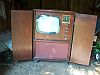
This is on my CTC-10 I'm still messing with. It is working fine now as far as the holds, color, convergence etc. The only quibble I have left (besides the remote!) is a vertical bending, i.e. a vertical line from top to bottom is straight in the middle but curved to the right on the top 1/3 and a little on the bottom too. Not bad but noticeable. Is there any adjustment that might take this out, or is there probably a bad/leaky cap in a certain spot that could cause this? I have not changed every non-ceramic cap in there, a few black plastic ones still in there and some yellow 1600v ones that I don't have a source for. What section or board or tube would this involve that maybe I should take another look at it's caps? It's not like a typical horizontal linearity problem where a circle would look stretched more on one side but evenly from top to bottom. It's just a general 'bowing' of the whole screen. It varies a little depending on moving the horiz hold (within locking range of course). Thanks!

|
|
#2
10-13-2005, 01:53 AM
|
||||
|
||||
|
First, a disclaimer: I am new to this forum and I mainly work on B&W. I also think alot of the guys here know more about tv's than I do, so you should probably wait for some other replies, but this is the first time I have been able to discuss old televisions with other people that like old televisions, so I can't stop writing posts, so here is what I would do if it were my set: replace any wax caps in the vicinity of the horiz. osc. tube, this sounds to me like a horizontal problem. One of my B&W magnavox's once did a similar thing, it was as if some of the picture was 'compressed' into a line in the middle of the screen, if this is the same problem there should be a slight discrepency between the picture on one side of the line and the other, as if more of the picture was hidden in the line than there was actually room for.
I just reread your message and I think I misunderstood the first time. Do you mean that the whole picture is pulling to the right on the top, and there is not actually a bright line in the middle of the screen going from top to bottom? If this is so I find that many of my tv's do this when I am watching a vhs tape, but not either regular tv or a dvd, or even a tv signal through a vcr. Actually I think my sets tend to pull the picture to the left on the top when I am watching a tape. I have never been able to figure out why they do this. Last edited by Adam; 10-13-2005 at 04:19 AM.
|
|
#3
10-13-2005, 03:30 AM
|
|||
|
|||
|
Adam, Im new here as well, been here for a few weeks now, its a great place with a lot of information. Anyway, I have seen simular problems on my black and sets, on a Fada and a Philco where there would be a line running from the top to the bottom in the middle of the screen where some of the picture was lost in that line. Does that set have caps on the yoke, I wanna say thats what the problem ended up being but I was replacing several caps at a time, its been several years ago. On the Philco there were some hidden black beauties on the yoke that I really did not notice untill I took a closer look.
|
|
#4
10-13-2005, 08:04 AM
|
||||
|
||||
|
MY CTC-10 had a bad dual-diode in the horiz. oscillator circuit. I replaced it and had much better horizontal hold, etc. from then on.
|
|
#5
10-13-2005, 11:31 AM
|
|||
|
|||
|
No not a line showing on the screen, just the entire screen is bowed or pulling to the right a bit, mainly at the top, stretching people's heads over and making them look a little goofy. Sort of like what you can get a lot of times with VCRs, but not as pronounced. I've never seen it do this on my tvs when showing stuff right off the antenna liek this, always been nice and vertically straight. It's something you might be able to get normally if you begin to get close to the end of your horizontal hold control range - only I can't ever get rid of it, still bowed even when horiz hld is centered and steady.
|
| Audiokarma |
|
#6
10-13-2005, 12:04 PM
|
||||
|
||||
|
Regarding the compressed line syndrome that others mentioned, I noticed this one my porthole & thought it might be barkhausen, but then I tried adjusting the horizontal drive & it went away. That old Zenith has a control for everything so on some other models that might not be so easy.
As for the problem at hand, does the AGC do anything to change it? Thats sort of a catch all! I also had a dual diode problem (on the -11) and it had been touchy for a long time before finally going out entirely. With a new diode the set is very happy.
__________________
Bryan
|
|
#7
10-13-2005, 05:54 PM
|
|||
|
|||
|
AGC has no effect. Sounds like the place to focus on is the horizontal board, there is one big black cap I didn't change there that is across the horiz hold adj. coil, store didn't have any more 600v .01s, C604. I'll dig one up later and put it there and see what happens. And will see if any others on that board that might be suspect. thanks
|
|
#8
10-13-2005, 08:13 PM
|
||||
|
||||
|
always check the basics
I've seen leaky filter caps cause problems that might lead you on the wrong path, first I would throw a scope on the B+ supplies and make sure you don't have a cap that is leaky, if those are all ok then move on to horz board
__________________
[IMG]
|
|
#10
10-13-2005, 11:58 PM
|
||||
|
||||
|
Quote:
 All kidding aside, what I found out is that there are a lot of time base variations. In other words, the time between sync pulses varies quite a lot. VHS (and most other things video) record diagonally across the tape in stripes. The "pieces" of recording have to be grafted back together. There are errors. When the tape starts to stretch, what was horrible gets even worse. All kidding aside, what I found out is that there are a lot of time base variations. In other words, the time between sync pulses varies quite a lot. VHS (and most other things video) record diagonally across the tape in stripes. The "pieces" of recording have to be grafted back together. There are errors. When the tape starts to stretch, what was horrible gets even worse.Our old sets were made for over the air broadcast, and the standards for broadcast were very strict. Probably they still are. Errors like what come off of VHS simply wouldnt be allowed. It was assumed that the broadcast signal would be stable and accurate. It was also asumed there would be some interference. If 2 or 3 sync pulses (and the video inbetween) were lost, It would be a lot less noticable if the set didnt lose sync. The horizontal oscillators were built with a "flywheel effect" to keep on going at exactly the same speed until the sync came back. In a picture, three lost pulses would just be 2 lines, not even next to each other because of the interlace, for half a frame. Vintage sets usually display the crappy VHS signal just as it is, complete with all the timebase errors. Modern sets dont have the flywheel effect, and the horizontal frequency can vary quickly, following each pulse. Ironically, modern sets look better on VHS because they are more unstable. I solved it by getting a JVC vcr with a built in timebase corrector. It fixes this completely on all but the worst tapes. Welcome Adam  Frenchy: Have you looked at the horizontal oscillator waveform on a scope yet? I think on ctc10 thats how you adjust them. Anyway it might make it easier to find out what capacitor is toast. John
|
| Audiokarma |
|
#11
10-14-2005, 01:10 AM
|
|||
|
|||
|
I don't have a scope. I just alwyas change all obvious paper caps, and if there's a few plastic ones here and there that I'm not sure are 'crappy' ones or not, and I still have a noticeable problem, I just opt for the shotgun approach on the specific section that has the problem, vertical, HV, whatever. Yeah if I was doing this for a living it would be different but caps are usually only 50 cents on average anyway : ) Scope? I'm not even very good at using an ohmmeter! 8 ()
|
|
#12
10-15-2005, 10:15 PM
|
||||
|
||||
|
Early sets will show the jump in horizontal timing at the head-switching point on a VCR. This is because the horizontal AFC time constant is long, which is a good thing for off-air (like a heavy flywheel) to prevent the horizontal phase from jittering left and right under noisy reception conditions. After the introduction of beta and soon thereafter VHS, the time constants were designed shorter so that the horizontal phase could follow the jump within a few lines - but it made the sets also have poorer performance on noisy over-the-air signals. Some of the Zenith designs just before VCRs came in could hold a picture down to a signal strength where only the sync itself was really visible - perhaps going farther than necessary in terms of stability, but guaranteeing good sync on practically any garbage signal.
By the way, the "pull" due to VCRs is only at the top - if you have a pull at the bottom also, it's something else, unless you are seeing the head-switch transient there, in which case, try a different VCR! Also, depending on tape tension, the pull may go either left or right, and sometines it will jump around, a condition known as "flag waving".
|
|
#13
10-16-2005, 02:45 AM
|
||||
|
||||
|
Thanks for all the information on VCR's. The "pull" was only on the top. I have tried many combinations of TV and VCR, they are all about the same. I think the RCA vcr with the 67 magnavox "portable" B&W gave the straightest picture. The biggest difference was what tape I used, which now makes sense. I don't have a JVC vcr, do they all have the timebase corrector, or just some of them?
On a sort of related note I've noticed that some DVD's have these "white blocks", which show up intermititantly in the dark part of the picture above the screen. You can see them if you adjust the vert. hold so the top of the picture is in the middle of the screen. On disks like this I always get vertical retrace lines on all of my sets when these white blocks appear. By adjusting the vert. hold I can get these lines down to one or two at the top of the screen, but not to go away completely. The only set on which I could get them to nearly entirely go away was one of those late model GE's- all compactrons with a solid state audio amp and hv rectifier. Is there some way to fix this?
|
|
#14
10-16-2005, 04:08 AM
|
||||
|
||||
|
Not all JVC's have the timebase corrector. Their top of the line consumer grade unit seems to always have it. Currently I think its this one.
http://www.jvc.com/product.jsp?model...6935&pathId=49 Theyre kind of expensive, but once I figured out what the problem was, It seemed like a good solution. I wanted something that would really work with a roundie. Other brands make VCRs with a timebase corrector, but usually only in studio grade. Thats *really* expensive. Anyway I was looking around Seattle for what was then the TOTL JVC consumer grade unit (similar to the link above). Nobody had one in stock, but I found a cheaper model JVC that had the timebase corrector. It was a demonstrator, so I even got a discount. It isn't here where I can look at it right now but I think its this one. http://www.jvc.com/product.jsp?model...9&archive=true This is the best video I have ever seen come off of VHS. Those timebase errors also come across as chroma phase errors on a line by line basis. When you correct it, the chroma gets better too. You probably wont believe how much difference until you see it. The white blocks on the DVDs are the copy protection. The first few lines of a NTSC picture are supposed to be black. The copy protection works by putting some white blocks in these first few lines, and turning the level up and down. This fools a VCR into turning the recording level up and down, making a copy unwatchable. This copy protection isnt really in the video on a DVD, It's added on playback. Certain DVD players have the ability to have it turned off. Look around on the internet, I'm sure you'll find some. The reason our old sets display the blocks is that the beam is still in retrace during those first few lines. Thats why the lines were originally specified black. Teletext does the same thing. So does the copy protection on VHS. Fortunately the blocks are not nearly so bright on VHS. There are devices that can replace all the sync pulses and the black lines at the beginning and the end of the picture. These are sold to TV stations and video production facilities who might want to salvage some video off some stretched or badly recorded tape. I've heard some multistandards converters can do this, too. Beware of cheap black boxes marketed mainly to people who are trying to copy tapes. They are unlikely to replace the sync and the first few lines of the picture. It might also be possible to fix this at the set level. If yould could blank the CRT beam through the blanking interval and continue blanking through the first few lines, that would probably work. I havent tried it. John Last edited by blue_lateral; 10-16-2005 at 04:11 AM.
|
|
#15
10-16-2005, 04:34 AM
|
||||
|
||||
|
Quote:
I only mentioned looking at the waveform because thats how you set the sinewave coil on a ctc9-10-11. The ctc12-15-16 has a different horizontal oscillator circuit and on those the same thing can be acomplished with a couple of clipcords. John
|
| Audiokarma |
 |
|
|





 Linear Mode

